




Smart Bill Calendar
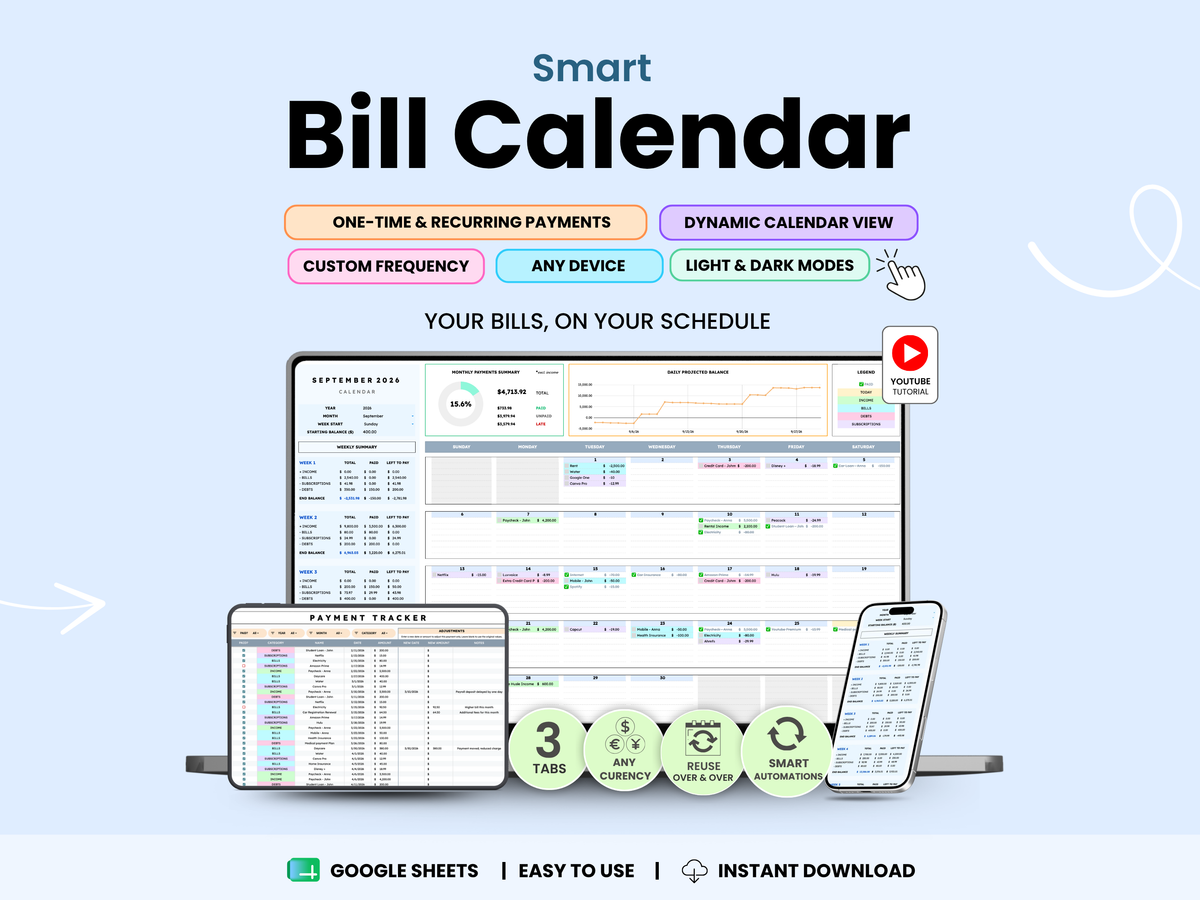
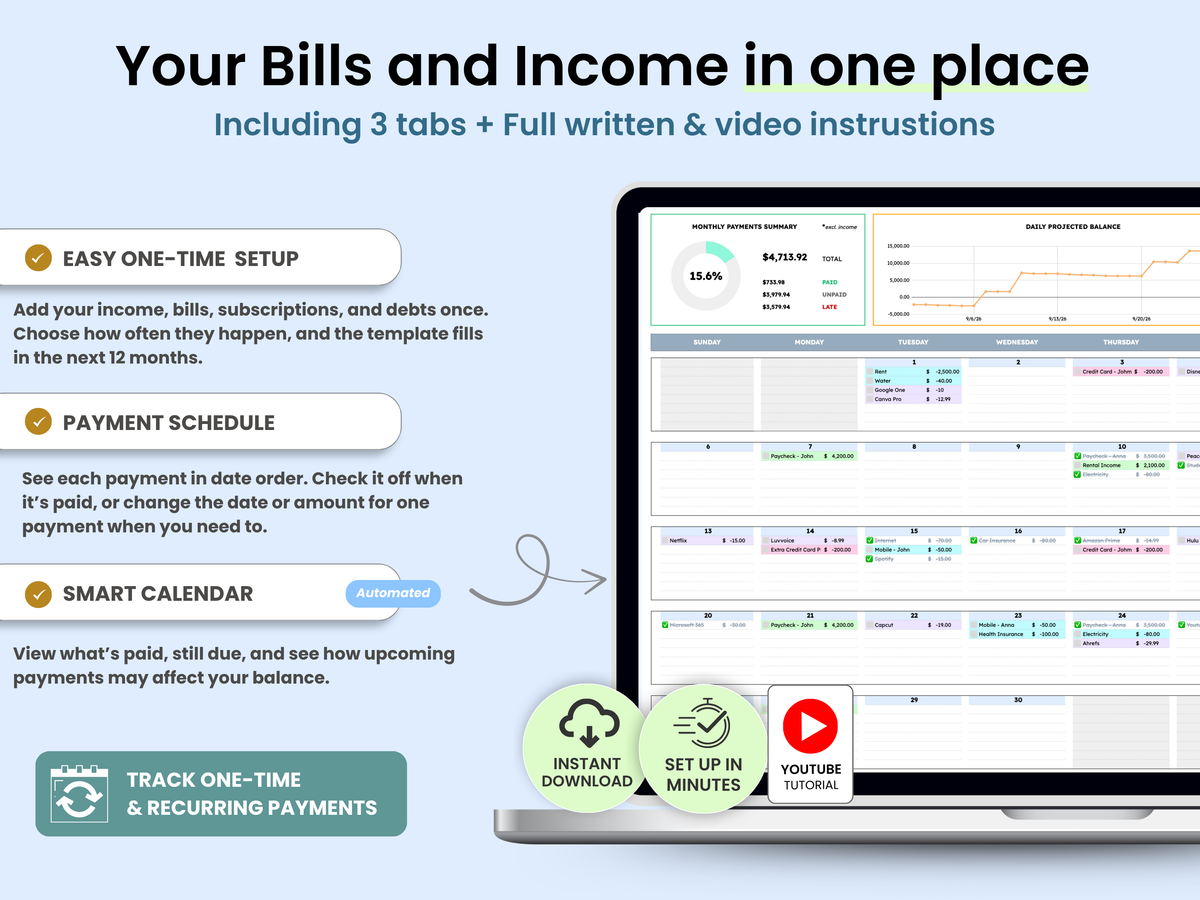
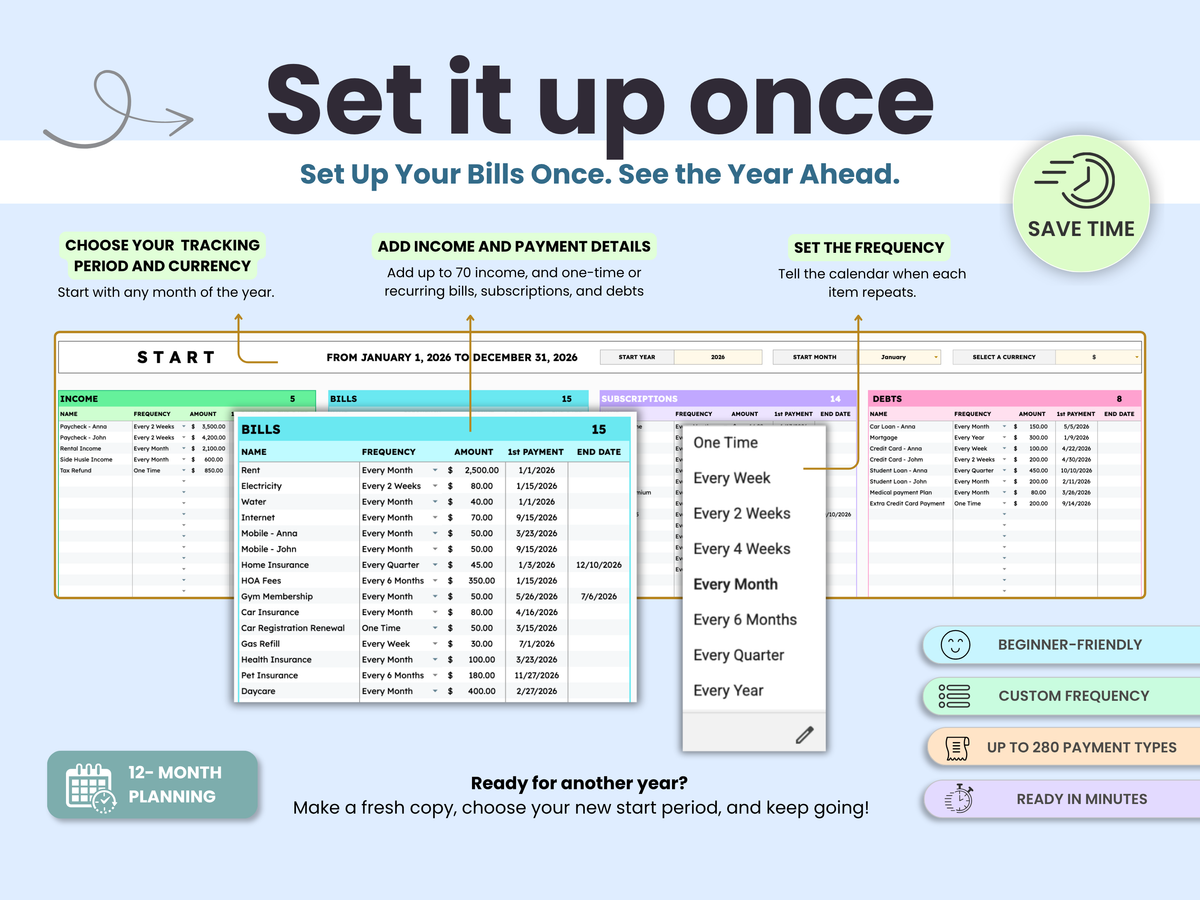
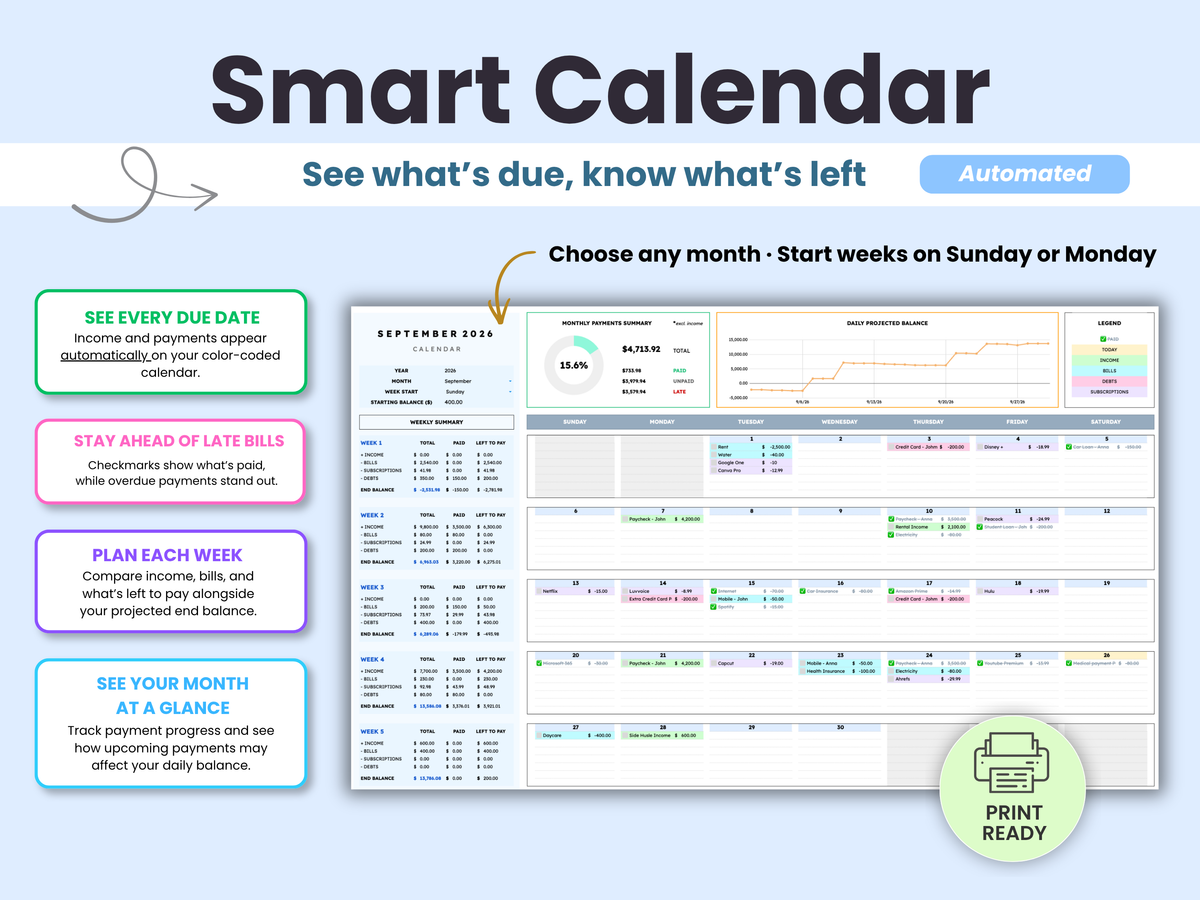
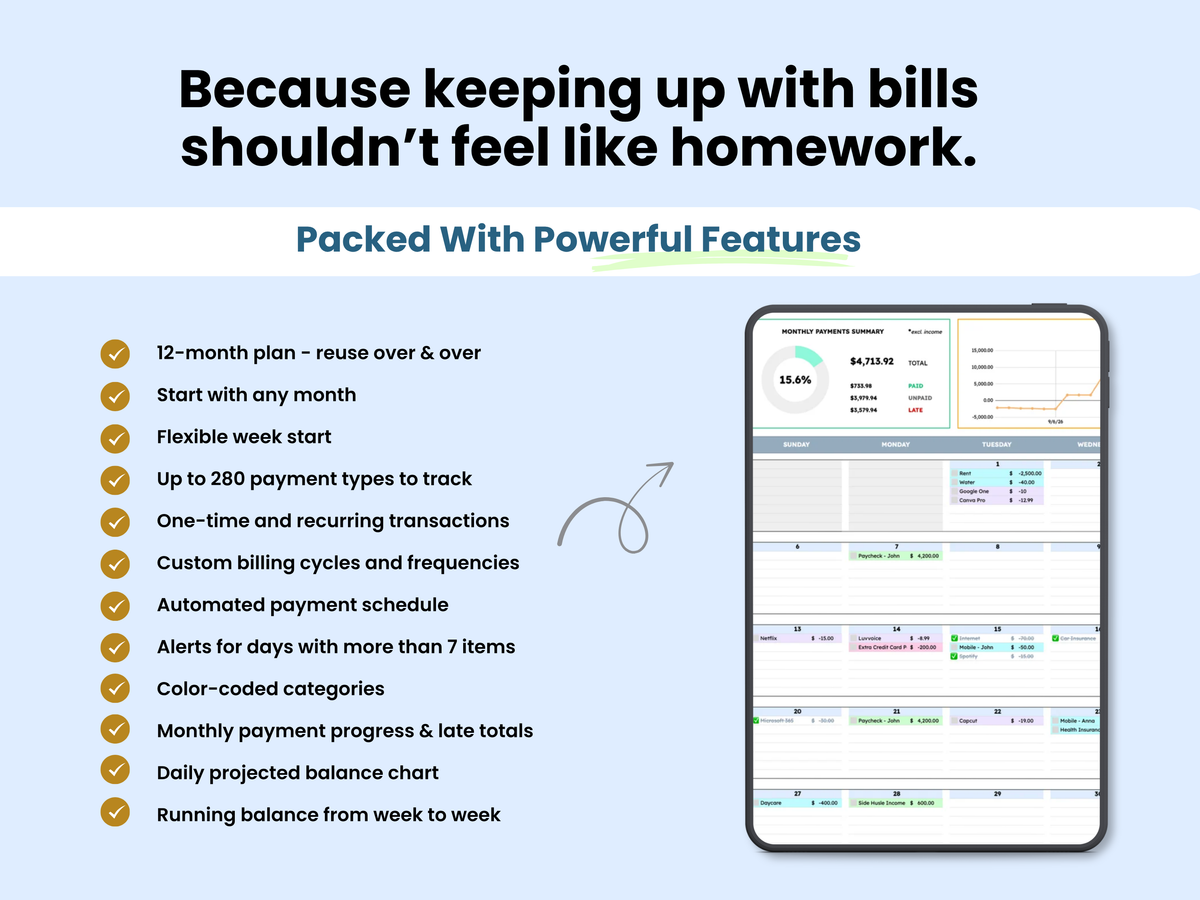
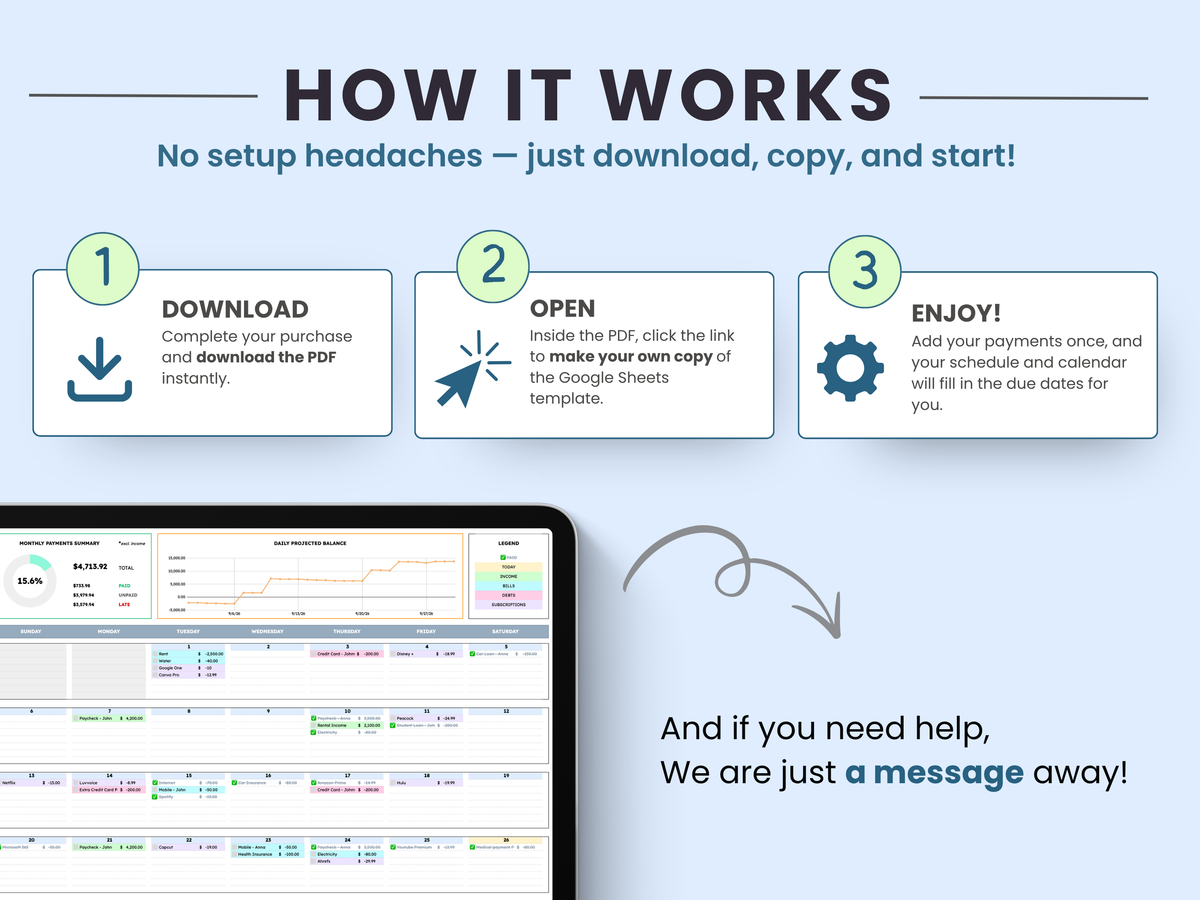
Stop trying to remember which bills are coming and whether there’s enough to cover them. The Google Sheets Bill Calendar puts your paydays, bills, subscriptions, and debts on one 12-month calendar. Set each payment’s schedule once, then see what’s due, what you’ve paid, and how the weeks ahead may affect your balance.
Combina bien con
Entrega: Instant Download
Plataforma: Google Sheets
Pestañas incluidas: 3 Tabs
Tipo de licencia: Standard
Acceso: Unlimited
Smart Bill Calendar
Si tiene alguna pregunta, siempre puede ponerse en contacto con nosotros. Le responderemos lo antes posible, en un plazo de 24 horas los días laborables.
-
Acceso instantáneo
Todos los productos son descargas digitales que se entregan inmediatamente después de la compra. Simplemente abra la plantilla de Google Sheets, haga su propia copia y comience a usarla en minutos; no se enviarán artículos físicos.
-
Preguntas frecuentes
Nuestras plantillas están diseñadas para Google Sheets e incluyen instrucciones paso a paso, además de tutoriales en video. Visite nuestra página de preguntas frecuentes para obtener respuestas sobre compatibilidad, acceso, personalización y solución de problemas.
-
Atención al Cliente
Cada compra incluye acceso a nuestro equipo de soporte. Si tienes algún problema con la configuración, las fórmulas o el uso de tu plantilla, contáctanos y te responderemos en un plazo de 24 horas hábiles.
Detalles del producto
Qué incluye
Ventajas principales
¿Para quién es esto?
La diferencia del Smart Kit
Notas importantes
Aviso legal
Ver la plantilla en acción
Preguntas frecuentes
Consulte nuestra página de Preguntas frecuentes para obtener más información.
¿Es una compra única o una suscripción?
Esta es una compra única. No hay cuotas mensuales, suscripciones o cargos recurrentes. Una vez comprada, la plantilla es tuya para usarla indefinidamente.
¿Qué recibo después de la compra?
Después de la compra, recibirá un enlace para abrir la plantilla en Google Sheets. Simplemente haga su propia copia y guárdela en su Google Drive. No se enviará ningún producto físico.
¿Se incluyen instrucciones?
Sí. Cada plantilla incluye instrucciones escritas para ayudarle a empezar. Muchas plantillas también incluyen tutoriales en vídeo paso a paso que cubren la configuración, las funciones y las mejores prácticas.
¿Puedo personalizar la plantilla?
Sí. Todas las plantillas son totalmente editables y se pueden personalizar para satisfacer sus necesidades, incluyendo categorías, etiquetas, colores y otras configuraciones aplicables.
¿Qué pasa si borro una fórmula por accidente o cometo un error?
No se preocupe. La mayoría de los cambios se pueden deshacer usando la función Deshacer de Google Sheets o el Historial de versiones. Cada plantilla de Smart Kit Designs también incluye acceso a una copia nueva, por lo que siempre puede empezar de nuevo si es necesario.
¿Cuál es la licencia estándar?
Con la licencia estándar:
Puedes:
- Usar la plantilla para uso personal
- Usar la plantilla dentro de tu propio negocio
- Compartir con miembros del equipo interno
- Personalizar la plantilla
- Entregar copias a clientes como parte de tus servicios
No puedes:
- Eliminar la marca Smart Kit Designs
- Revender la plantilla como un producto independiente
- Redistribuir la plantilla fuera de los compromisos con clientes
¿Ofrecen reembolsos?
Debido a la naturaleza digital de nuestros productos, todas las ventas son finales y no se pueden proporcionar reembolsos una vez que se ha otorgado el acceso. Revise detenidamente la descripción del producto y las imágenes de vista previa antes de comprar.