




Smart Bill Calendar
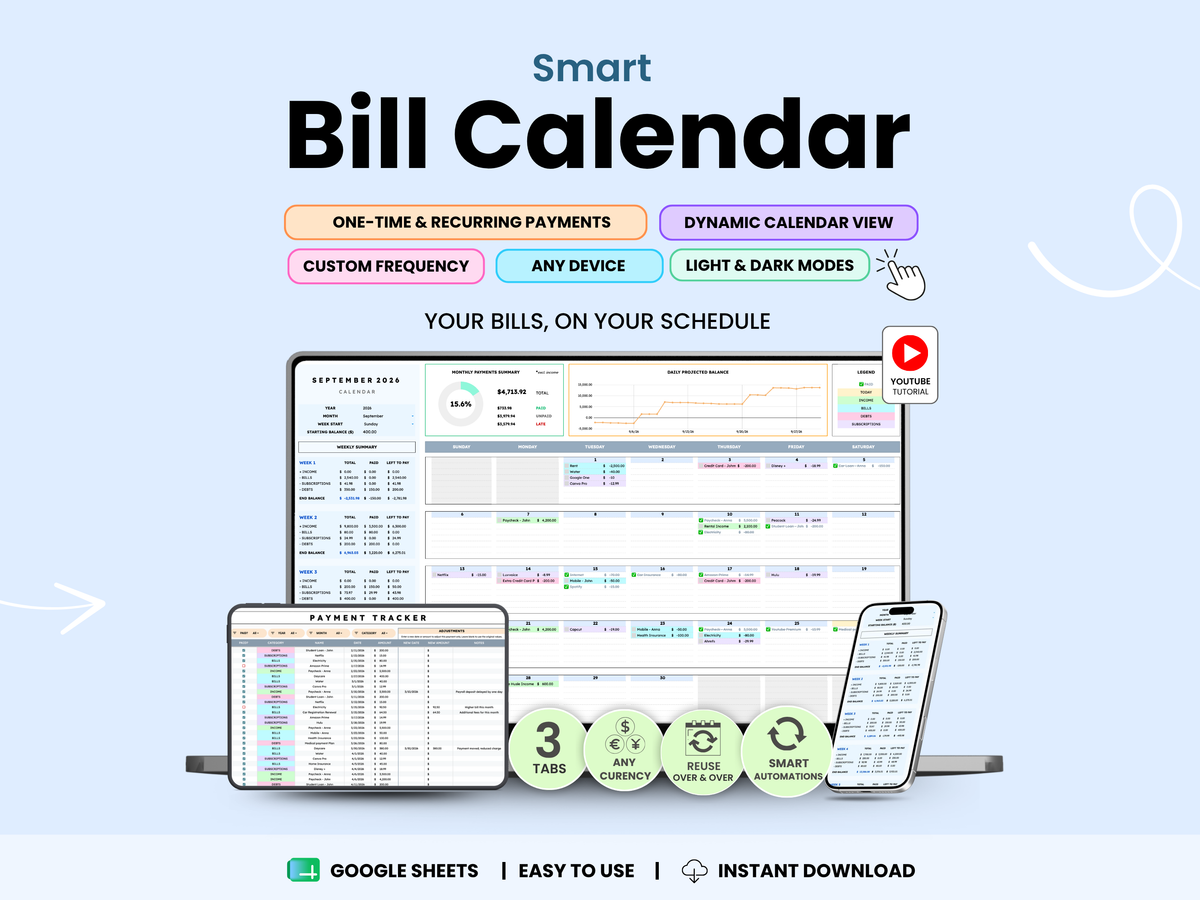
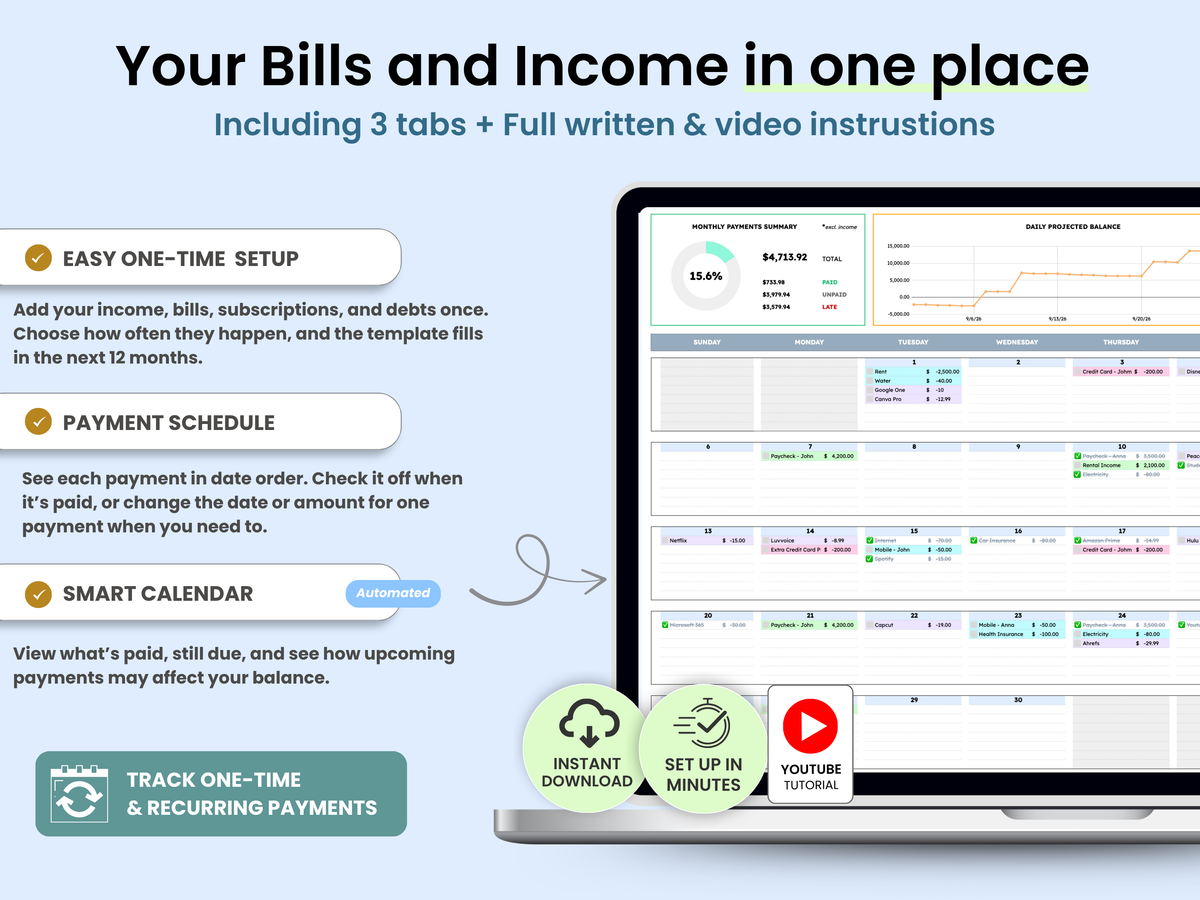
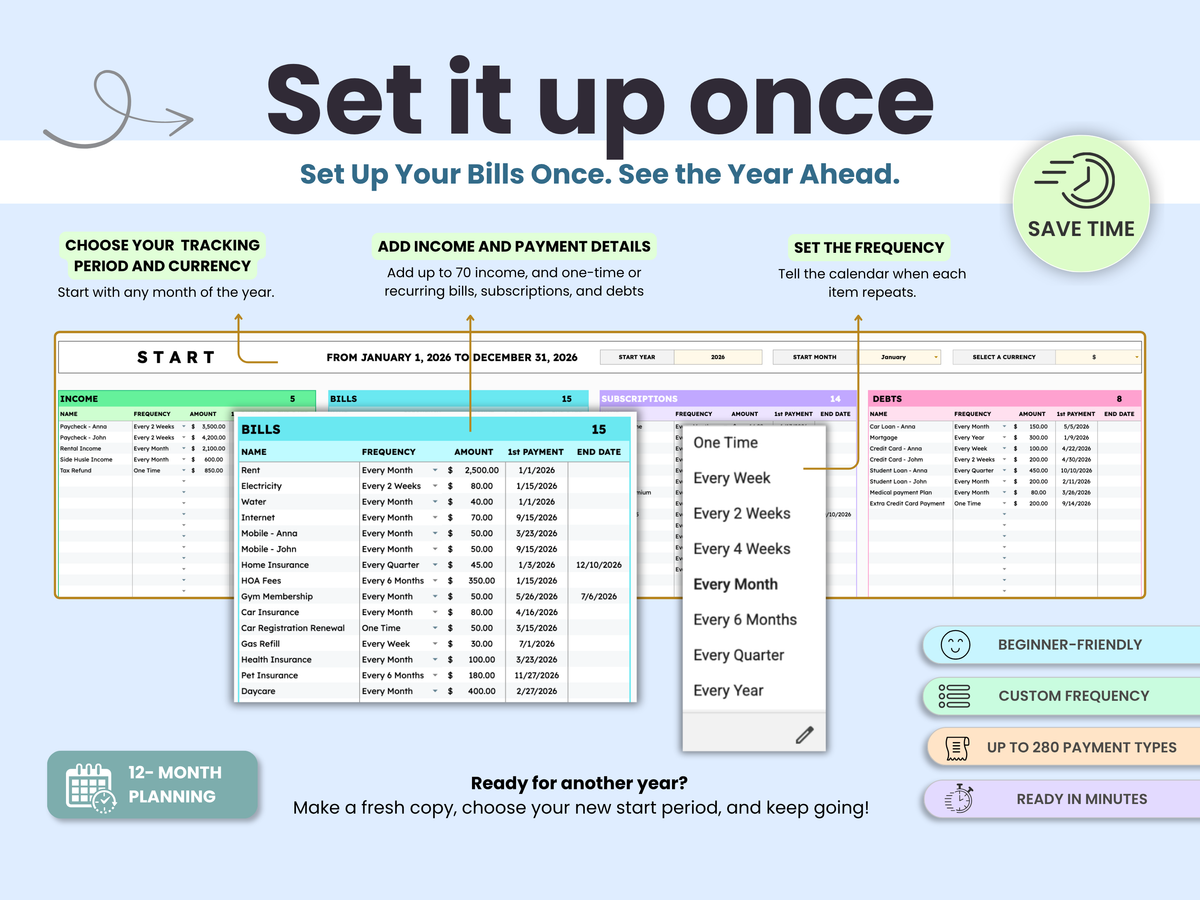
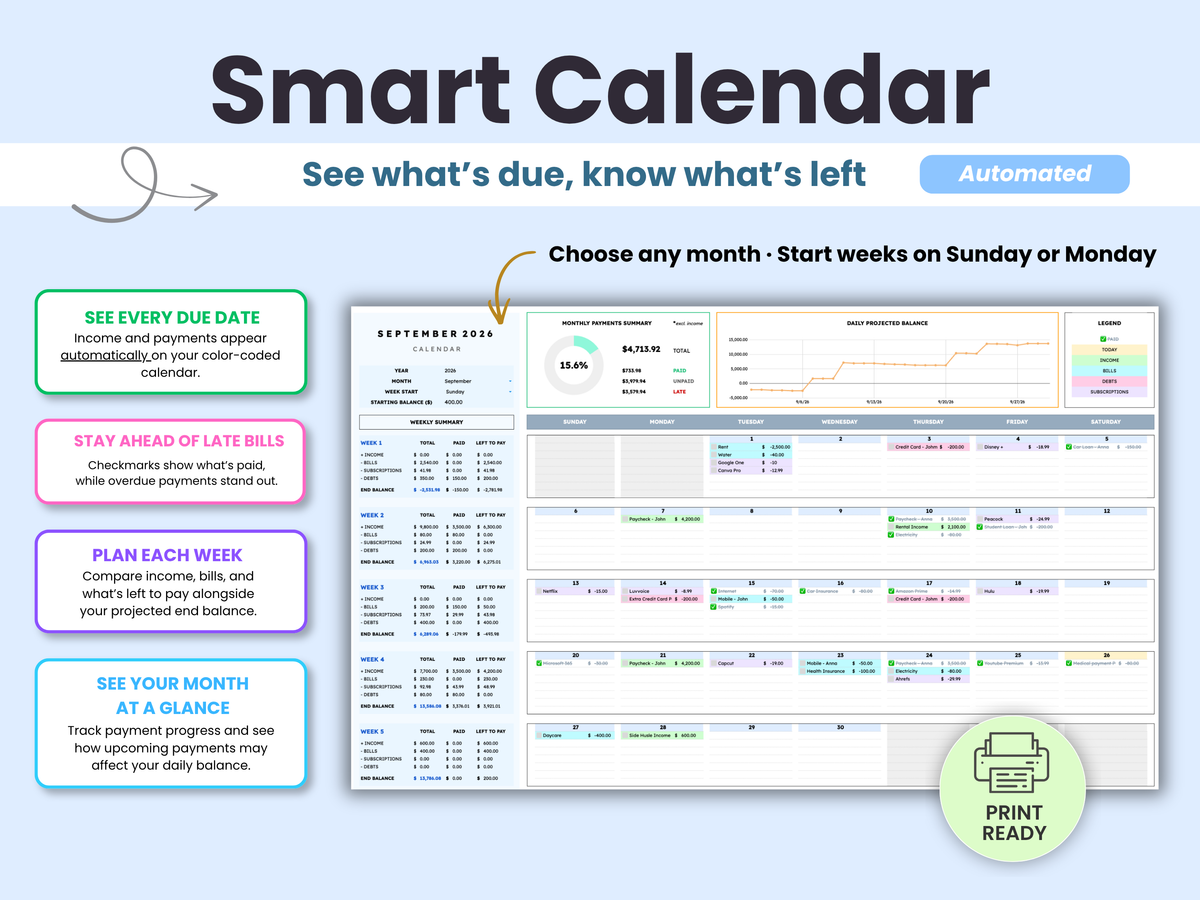
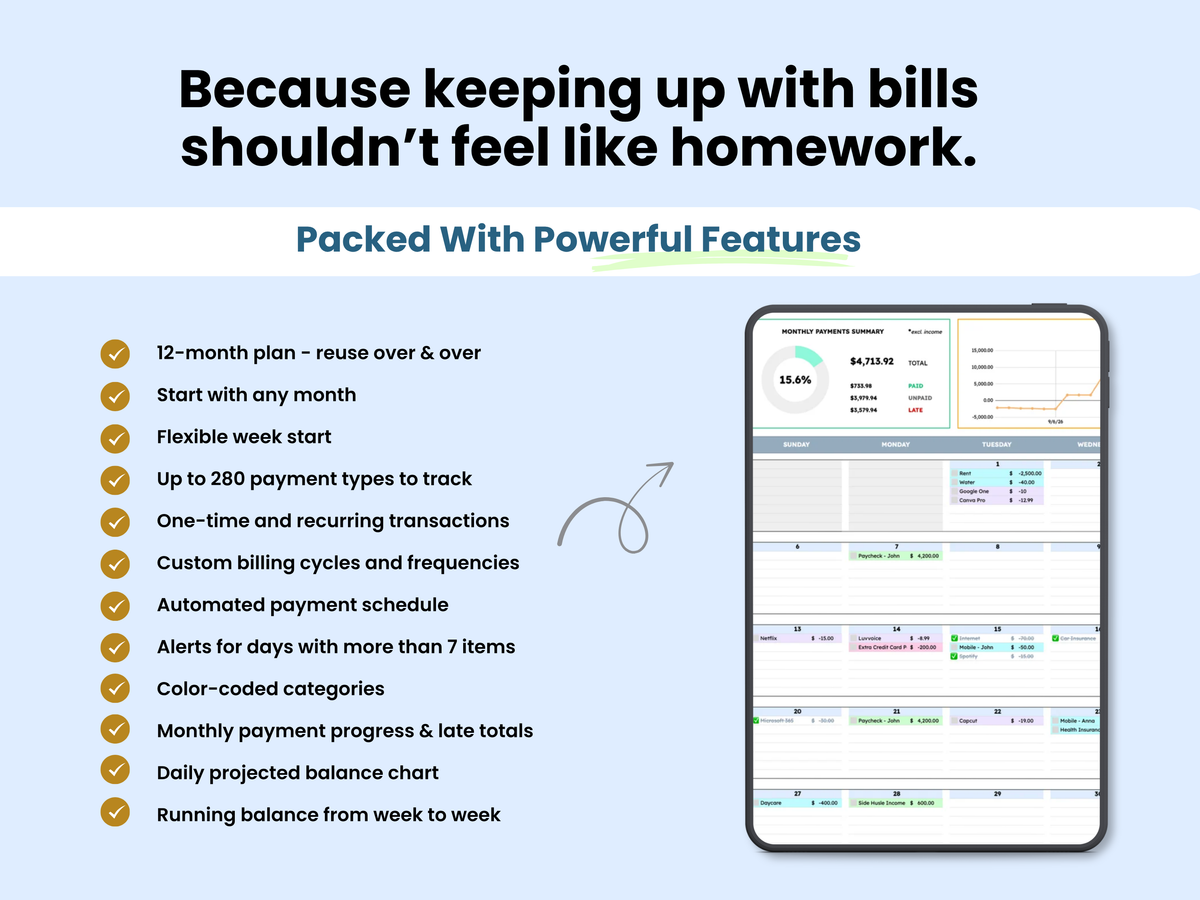
Stop trying to remember which bills are coming and whether there’s enough to cover them. The Google Sheets Bill Calendar puts your paydays, bills, subscriptions, and debts on one 12-month calendar. Set each payment’s schedule once, then see what’s due, what you’ve paid, and how the weeks ahead may affect your balance.
Pairs well with
Delivery: Instant Download
Platform: Google Sheets
Tabs Included: 3 Tabs
License Type: Standard
Access: Unlimited
Smart Bill Calendar
If you have any questions, you are always welcome to contact us. We'll get back to you as soon as possible, within 24 hours on weekdays.
-
Instant Access
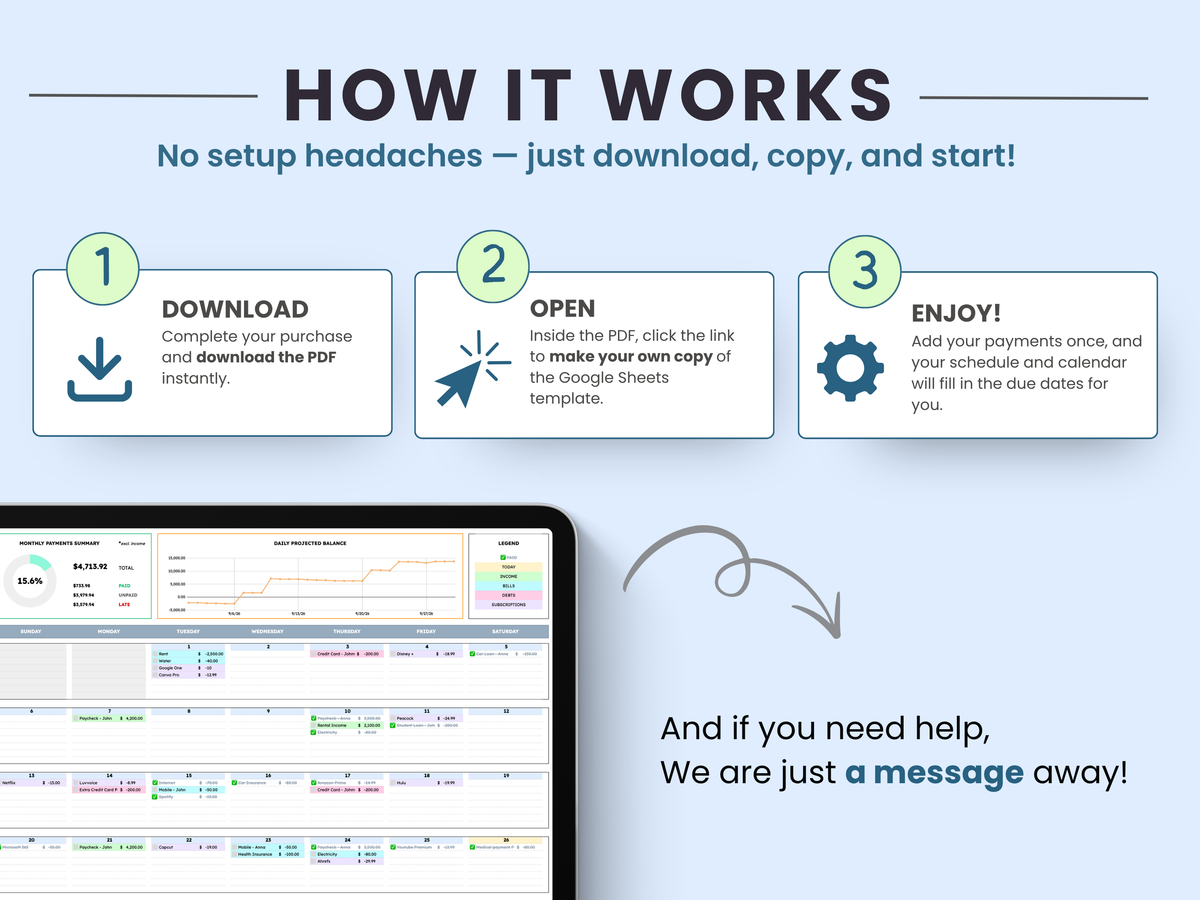
All products are digital downloads delivered immediately after purchase. Simply open the Google Sheets template, make your own copy, and start using it in minutes—no physical items will be shipped.
-
FAQ’s
Our templates are designed for Google Sheets and include step-by-step instructions plus video tutorials. Visit our FAQ page for answers about compatibility, access, customization, and troubleshooting.
-
Customer Support
Every purchase includes access to our support team. If you run into any issues with setup, formulas, or using your template, contact us and we'll respond within 24 business hours.
Product details
What's Included
key Benefits
Who is this for
The Smart Kit Difference
Important Notes
Disclaimer
See the template in action
FAQs
Please read our FAQs page to find out more.
Is this a one-time purchase or a subscription?
This is a one-time purchase. There are no monthly fees, subscriptions, or recurring charges. Once purchased, the template is yours to use indefinitely.
What do I receive after purchase?
After purchase, you'll receive a link to open the template in Google Sheets. Simply make your own copy and save it to your Google Drive. No physical product will be shipped.
Are instructions included?
Yes. Every template includes written instructions to help you get started. Many templates also include a step-by-step video walkthroughs covering setup, features, and best practices.
Can I customize the template?
Yes. All templates are fully editable and can be customized to fit your needs, including categories, labels, colors, and other settings where applicable.
What if I accidentally delete a formula or make a mistake?
No worries. Most changes can be reversed using Google Sheets' Undo feature or Version History. Every Smart Kit Designs template also includes access to a fresh copy, so you can always start over if needed.
What is the standard license?
With the standard license:
You may:
- Use the template for personal use
- Use the template within your own business
- Share with internal team members
- Customize the template
- Deliver copies to clients as part of your services
You may not:
- Remove Smart Kit Designs branding
- Resell the template as a standalone product
- Redistribute the template outside of client engagements
Do you offer refunds?
Due to the digital nature of our products, all sales are final and refunds cannot be provided once access has been granted. Please review the product description and preview images carefully before purchasing.